AnyWherePOD review: what it does, what it skips, and who it is actually for
If you have spent any time in POD seller forums lately, you have probably seen AnyWherePOD mentioned. The platform targets Etsy and Shopify sellers who want to add personalized products without rebuilding their entire storefront. It does that job reasonably well. But before you add another monthly subscription to your stack, it is worth understanding exactly what anywhere pod covers, what it deliberately leaves out, and whether the seller it was built for is you.
This is an independent review written from a WooCommerce POD seller’s perspective. No affiliate relationship with AnyWherePOD. No sponsored placement. Just a platform walkthrough with honest comparisons to what a fully automated, WooCommerce-native pipeline can do instead.
What AnyWherePOD is (and the problem it was built to solve)
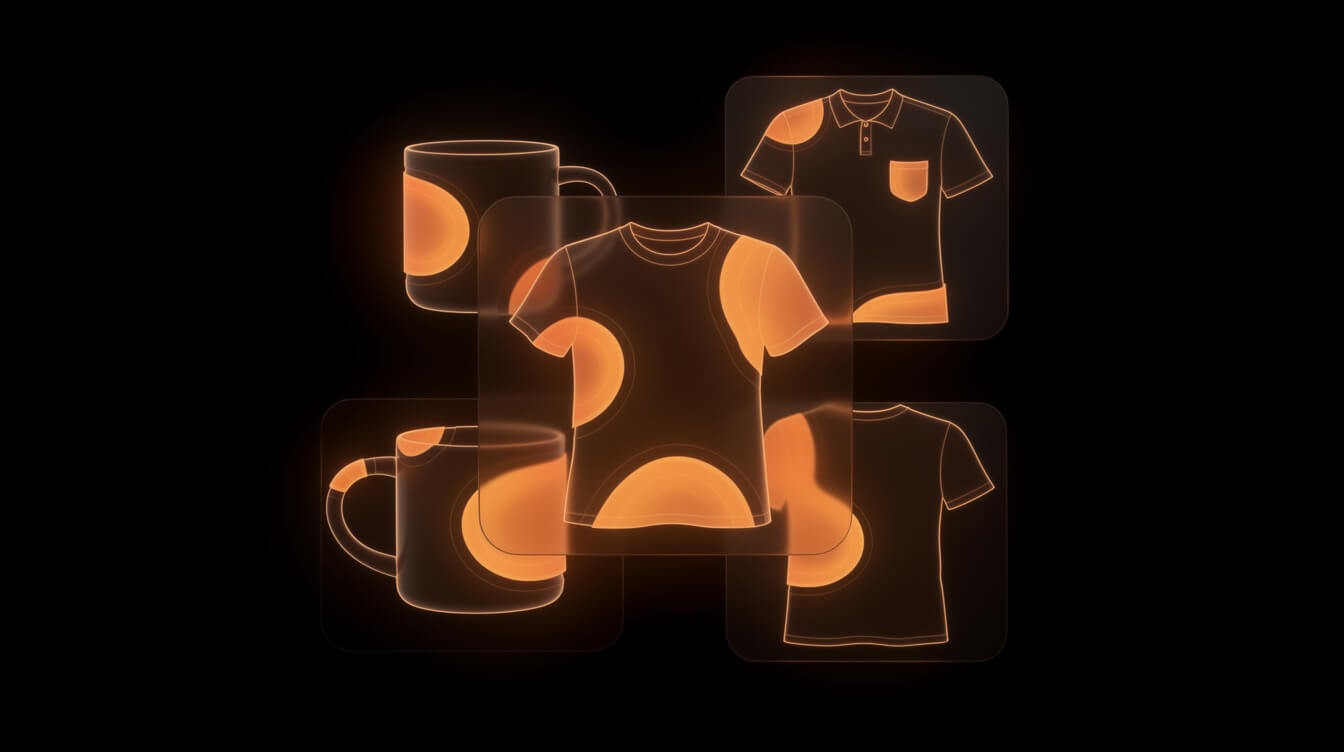
AnyWherePOD is a personalization engine for print-on-demand sellers on Etsy and Shopify. Its core promise is this: customers can customize products in real time before they purchase. Text, images, clipart, colors. They see a live preview. They buy with confidence. You fulfill through a connected POD supplier.
The problem AnyWherePOD was built to solve is real. Standard POD listings are static. A customer sees a design and guesses how their name will look on it. AnyWherePOD removes that guess. The live preview closes the gap between expectation and delivered product, which theoretically reduces returns and increases conversion on personalized items.
This is a genuinely useful feature for a specific seller type: someone running a personalized gifts store on Etsy, or a custom merchandise operation on Shopify who wants a no-code way to let customers co-create their orders.
That is the problem AnyWherePOD solves. It is a narrow problem, and AnyWherePOD solves it within a narrow set of platforms. Understanding that boundary upfront saves a lot of time evaluating whether this tool belongs in your stack.
AnyWherePOD features: personalization, Canva integration, and bulk upload

The feature set breaks into three areas. Here is what each one does in practice.
Live personalization preview
This is the flagship feature. You set up a product template in AnyWherePOD with defined customization zones: text fields, image upload areas, clipart selectors. The platform generates a storefront widget that embeds in your Etsy or Shopify listing. Customers interact with it directly on the product page, see their customization applied to the mockup in real time, and add to cart with their choices locked in.
The technical implementation is solid. It handles multi-layer designs without obvious lag. For sellers whose entire business model is built around personalization, this is hard to replicate without custom development.
Canva integration
AnyWherePOD connects to Canva so you can build your product templates using Canva’s design tools, then push them into the AnyWherePOD system. If you are already working in Canva for your designs, this is a natural fit. It removes one export step.
It also reveals something important about who this platform was built for: the Canva-fluent, manual-design seller. That is not a criticism. A large portion of the POD market operates this way. But it also means AnyWherePOD was not designed with AI-generated design pipelines in mind. There is no API hook for feeding Replicate or Midjourney outputs directly into the system at scale.
Bulk upload and Etsy SEO tag analyzer
AnyWherePOD includes a bulk product upload feature and an Etsy SEO tag analyzer. The tag analyzer suggests relevant tags for your Etsy listings based on the product type. Both features target efficiency for Etsy sellers specifically: uploading multiple listing variations and optimizing for Etsy’s search algorithm.
The tag analyzer is Etsy-only. It does not generate schema markup, meta descriptions, or structured data for a WooCommerce store. If your primary sales channel is your own domain, this feature contributes nothing to your SEO.
There is also a video generation feature, but it is gated to Etsy only and generates short product preview clips. Not something that translates to a WordPress-based store.
AnyWherePOD pricing breakdown: Basic, Pro, and Pro Plus compared

AnyWherePOD offers three tiers. Here is what they cost and what they include.
Basic: $9.99 per month
The entry-level plan covers the core personalization widget, limited product templates, and basic Canva integration. Suitable for a seller testing the concept before committing to the full platform.
Pro: $24.99 per month
The mid-tier plan adds the live preview feature in full, bulk upload, the Etsy SEO tag analyzer, and expanded template capacity. This is where most active sellers will land. For a seller running a focused personalized gifts store on Etsy, $24.99 per month is a reasonable cost if it genuinely lifts conversion rates on personalized items.
Pro Plus: $39.99 per month
The top tier adds video generation (Etsy-only), priority support, and the highest template and product limits. At $39.99 per month, this is the tier for high-volume Etsy personalization operations.
The cost in context
AnyWherePOD’s pricing is not the main cost to evaluate. The main cost is the platform dependency it requires. The live preview widget only works on Etsy and Shopify. If you are on Shopify, you are also paying Shopify’s platform fee on every transaction, which at $10,000 per month in revenue adds up to roughly $1,200 to $2,500 per year in Shopify fees alone, depending on your plan and transaction volume. More on this in the comparison section.
What AnyWherePOD does well (and the seller type it fits)

Smash print-on-demand. Join the engine room.
One short email a week. Real numbers, real teardowns, the unfiltered economics behind every move.

AnyWherePOD earns its subscription fee for a specific seller profile. Here is where it genuinely delivers.
If you run a personalized gifts operation on Etsy, AnyWherePOD is one of the cleaner solutions available. The live preview reduces pre-purchase anxiety on customized orders. Customers who can see their name on a mug before they buy are less likely to contact you with “is this what it will look like” messages, and less likely to return items that do not match expectations.
The Canva integration is genuinely useful for sellers whose workflow is already built around Canva. It removes friction from the template-building process without requiring them to learn a new design tool.
Bulk upload matters for Etsy sellers managing large product catalogs. If you have 50 mug variants, uploading them one at a time is a meaningful time drain. AnyWherePOD’s bulk upload addresses that.
The platform also has a functional Etsy SEO tag analyzer. For sellers optimizing Etsy listings manually, having a tool that suggests tags based on your product type is a time saver. It is not a comprehensive keyword research tool, but for Etsy-specific optimization it does the job.
In short: AnyWherePOD fits the seller who is happy on Etsy or Shopify, whose business model centers on personalization, and who wants a polished customer-facing experience for customized orders. For that seller, it is a well-built, reasonably priced tool.
For sellers who want to generate AI-designed products at scale or run their store on WooCommerce without platform fees, the fit breaks down quickly.
What AnyWherePOD does not cover: WooCommerce, AI design, full pipeline automation

Understanding what AnyWherePOD excludes is as important as understanding what it includes. Three gaps stand out.
No WooCommerce integration
AnyWherePOD supports Etsy and Shopify. That is the complete list. There is no WooCommerce plugin, no REST API for self-hosted stores, and no roadmap indication that this is changing.
For sellers who have moved to WooCommerce specifically to escape Shopify’s 1% override fee and transaction charges, or who are running on WordPress for brand control and margin reasons, AnyWherePOD is simply not an option. The tool does not exist on their platform.
If you want to understand what WooCommerce actually costs to run at scale, the WooCommerce pricing breakdown for POD stores lays out the real numbers. The comparison with Shopify fees is significant at any volume above $3,000 per month.
No AI design generation
AnyWherePOD assumes you already have designs. You bring your templates, connect Canva, set up customization zones, and the platform handles the buyer-facing preview. It does not generate designs. It has no image-generation API, no Replicate integration, no prompt-to-product pipeline.
This is not a flaw, it is a scope decision. AnyWherePOD is a personalization tool, not a design pipeline. But it means that if you want to generate 30, 50, or 100 unique products from keyword research and AI image generation, AnyWherePOD contributes nothing to that workflow.
No research-to-product pipeline
A fully automated POD pipeline starts before the design stage. It starts with niche research: identifying what people are searching for, what design angles have demand, what competitors are missing. It then moves through keyword selection, image generation, sizing, cropping, mockup creation, SEO copy, and listing creation on WooCommerce and Printful simultaneously.
AnyWherePOD enters the workflow only at the listing stage, and only for personalized items on Etsy or Shopify. It does not touch research, AI design generation, SEO copy, or Printful/WooCommerce automation. Those are simply outside its scope.
For sellers thinking about throughput, this distinction matters. AnyWherePOD can make your personalized listing process more polished. It cannot make you faster at generating, listing, and optimizing unique products end to end.
AnyWherePOD vs a WooCommerce-native POD stack: the real comparison

This is the comparison that matters for sellers evaluating whether to stay on Shopify with AnyWherePOD or move to a WooCommerce-native automation stack.
Platform fees
Running AnyWherePOD on Shopify means paying both Shopify’s platform fees and AnyWherePOD’s subscription. Shopify’s transaction fees on their Basic plan are 2% per transaction if you are not using Shopify Payments (and in many international markets, you are not using Shopify Payments). On the Shopify plan, it drops to 1%, but you are also paying $105 per month for the platform.
At $10,000 per month in POD revenue, Shopify’s 1% override alone adds $1,200 per year in pure platform tax. That is before app fees, theme costs, and the AnyWherePOD subscription. The full breakdown of Shopify transaction fees for POD sellers shows how those costs compound at scale.
A WooCommerce store has no percentage-of-revenue platform fee. You pay for hosting (typically $20 to $80 per month at meaningful traffic levels), your domain, and whichever plugins you need. The WooCommerce plugin itself is free. That cost profile looks completely different at $5,000 to $20,000 per month in revenue.
Design throughput
With a WooCommerce-native automation stack that includes AI image generation via Replicate, a seller can generate, compress, upload, and list multiple unique products per session. Each product gets a keyword-researched title, SEO meta description, and Printful fulfillment configured automatically.
AnyWherePOD on Shopify produces one product at a time, with manually designed templates. The throughput comparison is not close. This is not a knock on AnyWherePOD. It is a different kind of tool.
Automation depth
MEGA, the research-to-product pipeline built for WooCommerce POD sellers, handles niche research, keyword selection, AI image generation, Tinify compression, Cloudinary hosting, mockup creation, WooCommerce listing, Printful sync, and SEO metadata in a single pipeline run. A product can go from keyword to live listing in under seven minutes. The entire workflow runs autonomously on a schedule without manual intervention.
AnyWherePOD automates one specific piece of the customer experience: the personalization preview. That is valuable in context. It is a fraction of what a full pipeline automation covers.
The honest framing: AnyWherePOD and a WooCommerce automation stack are not direct competitors. They target different workflows, different platforms, and different seller ambitions. The comparison only matters if you are deciding which direction to go and want to understand what each choice costs and what each choice enables.

Research, design, list, and fulfill: the end-to-end POD pipeline AnyWherePOD cannot replace
MEGA handles keyword research, AI image generation, WooCommerce listing, and Printful sync in one automated run. No Canva. No Shopify fees. No manual steps.
Which approach fits which POD seller

After this full walkthrough, the right tool depends entirely on your business model and the platform you are building on. Here is a practical framework for the most common seller situations.
AnyWherePOD makes sense if
- Your primary channel is Etsy or Shopify and you are not moving off those platforms.
- Personalized products are a significant portion of your revenue, or you want them to be.
- You are comfortable with a Canva-based design workflow and are not looking to automate design generation at scale.
- You want a polished buyer-facing personalization experience without custom development.
At $24.99 per month (Pro tier), AnyWherePOD is a reasonable tool cost for that use case. It solves a real problem cleanly.
A WooCommerce-native automation stack makes sense if
- You want to own your store and eliminate percentage-of-revenue platform fees.
- You want to generate unique products at scale using AI image generation, not a Canva template workflow.
- Your competitive edge is throughput and research, not personalization and custom orders.
- You have moved or are considering moving away from Shopify specifically to recapture the margin Shopify takes on every transaction.
For sellers in this second group, the right tool is not a personalization widget. The right stack starts with a research pipeline that identifies what to make, an AI design engine that makes it, and a WooCommerce integration that lists and fulfills it. That is what MEGA is built to handle. Try MEGA here if that sounds like your business model.
The seller who should look carefully before deciding
There is a third group: sellers who are currently on Shopify with a mix of standard and personalized products, who are aware of the Shopify fee drag but have not yet quantified it. For this seller, the calculation is worth doing before adding AnyWherePOD.
If you are paying $1,500 to $2,500 per year in Shopify transaction fees and platform override charges, that is the budget that could move to WooCommerce hosting, plugin subscriptions, and a more capable automation pipeline. You do not lose the personalization capability entirely: WooCommerce has its own product configurator plugins. You gain full margin ownership and automation depth that Shopify and AnyWherePOD together cannot match.
The Shopify transaction fee breakdown is worth reading before you make that call. The numbers are concrete and the comparison is direct.
The bottom line on AnyWherePOD
AnyWherePOD is a competent, focused tool for a specific use case. It solves the personalized product preview problem on Etsy and Shopify, and it does so without requiring custom development or design skills beyond Canva. The pricing is fair for what it delivers.
Its limits are its limits. No WooCommerce integration. No AI design generation. No research pipeline. No listing automation. These are not oversights. They are deliberate scope decisions that reflect the seller profile AnyWherePOD was built for.
If that seller profile is yours, AnyWherePOD earns its place in your stack. If it is not, particularly if you are building on WooCommerce or want to move toward AI-automated product generation at scale, it is simply the wrong tool. Knowing which category you are in is the most useful thing this review can give you.
For a deeper look at how a full WooCommerce automation pipeline compares to a Shopify-based POD setup on both cost and throughput, the WooCommerce pricing guide for POD stores covers the actual numbers across different revenue levels.

Implement AI. 30x your throughput. Get a 30-min call with the founder.
Drop your details and book a free 30-minute discovery call. Personalized advice on your POD stack, your margin, and where AI fits. No pitch, no fluff.