The 3 types of print-on-demand sites: which model fits your revenue stage
The most searched phrase in POD education is “best print on demand sites,” and almost every article that ranks for it answers the wrong question. They compare Redbubble to Printful, Etsy to Amazon Merch, and Printify to CustomInk as if these platforms live on the same spectrum. They do not. There are three structurally different models of print-on-demand site, and choosing the wrong one for your revenue stage costs real money every single month, sometimes without you noticing.
This guide maps the taxonomy clearly. Three models, with concrete fee math at $2,000, $5,000, and $10,000 in monthly revenue. A decision framework you can apply today. And an honest look at where automation fits in when you are ready to stop doing everything manually.
What people actually mean when they search for the best print on demand sites

When most people search “best print on demand sites,” they are asking one of three very different questions without knowing it:
- Where can I upload a design and sell it today with zero setup? These people want a marketplace.
- How do I build a branded store with a fulfillment partner on a familiar platform? These people want Shopify with a POD app.
- How do I own my customer data, pay no platform override fees, and run this at scale? These people want an owned WooCommerce store with a fulfillment partner.
The problem is that every “best of” roundup treats all three as interchangeable. They are not. Each model has a different fee structure, a different ceiling, and a different requirement for your time and technical tolerance. The “best” site depends entirely on where you are in your business, not on which platform runs the slickest ads.
Here is the taxonomy:
- Model 1 — POD marketplaces: Redbubble, Etsy, Amazon Merch on Demand. You upload designs. The platform brings the traffic. You share the margin and own nothing.
- Model 2 — Shopify + POD app: Printful, Printify, or Gelato connected to a Shopify store. You build a brand and control the storefront. But Shopify charges a 1% platform override fee on every transaction, in addition to payment processing fees and app subscriptions.
- Model 3 — Owned store + fulfillment partner: WooCommerce as the store, Printful or Printify as the fulfillment partner. You pay hosting and the WooCommerce base, which is free. No percentage override on revenue. No mandatory app fees.
Each model serves a different stage. Understanding which stage you are in before you sign up is the decision most POD sellers skip.
POD marketplaces: Redbubble, Etsy, and Amazon Merch (traffic without ownership)

Marketplaces are the lowest-friction entry point. You upload a design, set a price, and the platform handles everything else: hosting, traffic, payments, and fulfillment partners. Redbubble, Etsy, and Amazon Merch are the most commonly cited examples.
What marketplaces do well
Traffic is the main argument. Amazon Merch puts your design in front of Amazon’s search engine, which handles a significant portion of US consumer product discovery. Etsy has built-in SEO authority and buyer intent for handmade and custom goods. Redbubble has an existing audience of design buyers who browse for artwork and statement pieces.
For a seller with zero marketing budget and zero technical setup time, a marketplace gets you from design file to live listing in minutes. That is a real advantage at the very start of a POD business.
What marketplaces take from you
The trade-off is margin and ownership. On Etsy, you pay a $0.20 listing fee per item, a 6.5% transaction fee, and payment processing on top. On Amazon Merch, Amazon sets your royalty tier based on their own formula, and you have no leverage to negotiate. On Redbubble, you set a margin percentage above their base price, but base prices creep up over time as their costs change.
More importantly, on every marketplace you do not own the customer relationship. You cannot email your buyers. You cannot retarget them. You cannot see their behavior data. If the platform changes its algorithm or suspends your account, your revenue goes to zero with no warning and no recourse.
Marketplaces are rent, not ownership. They are right for validating designs and finding your first buyers. They are wrong for building a brand you can rely on at scale.
Shopify + POD apps: the 1% fee you stop noticing until you scale

Shopify is the dominant choice for POD sellers who want a branded storefront. Printful, Printify, and Gelato each have native Shopify integrations. The setup is well-documented, the ecosystem is large, and the tooling is mature. This is a legitimate model. But it has a structural cost that most “best print on demand sites” guides do not mention.
The Shopify platform override fee
If you use any payment processor other than Shopify Payments, Shopify charges an additional transaction fee: 2% on Basic, 1% on Shopify, and 0.5% on Advanced. Most sellers eventually move to Shopify Payments to eliminate this, but that locks them into Shopify’s payment infrastructure regardless of whether it is competitive in their market.
The larger issue is the Shopify subscription itself. On the Basic plan at $39/month, your transaction fees are 2.9% + $0.30 per transaction. On the $105/month Shopify plan, you get 2.6% + $0.30. Shopify also applies what the POD community calls the “Shopify override”: when you use a third-party POD app at scale, Shopify’s own subscription pricing, theme licensing, and app ecosystem costs stack on top of your fulfillment costs in a way that is difficult to see as a single line item.
We covered the full breakdown in our Shopify transaction fees analysis for POD sellers. The short version: a $10,000/month store on Shopify pays between $350 and $600 in platform fees before fulfillment, depending on the plan and apps used. That is $4,200 to $7,200 per year in platform overhead that a WooCommerce store does not pay.
What Shopify does well
Shopify earns its position. The onboarding experience is fast. The Shopify App Store has hundreds of plugins for every conceivable store function. Shopify’s checkout conversion rates are strong. For a seller who wants maximum ecosystem support with minimal technical configuration, Shopify + POD app is a credible choice, especially under $2,000/month in revenue where the fee math is not yet painful.
If you want a detailed breakdown of the best Shopify POD apps and what each one actually costs in practice, we have that in our Shopify POD app review.
Owned store with fulfillment partner: WooCommerce + Printful or Printify

Smash print-on-demand. Join the engine room.
One short email a week. Real numbers, real teardowns, the unfiltered economics behind every move.
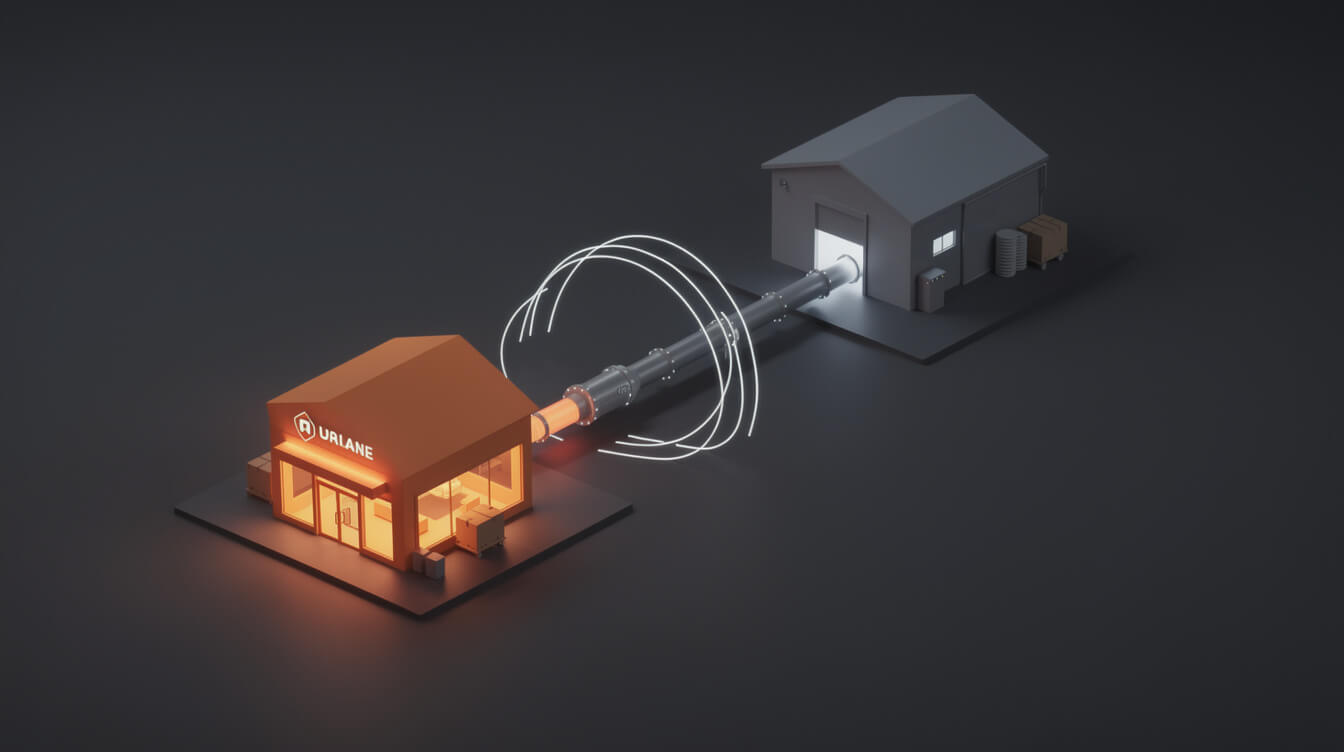
Model 3 is the one that most “best print on demand sites” articles skip entirely. It is also the model that produces the best economics at scale. WooCommerce is a free plugin for WordPress. Printful and Printify both have native WooCommerce integrations. You connect them, build your store, and pay exactly your hosting cost plus the fulfillment cost per order. Nothing more.
What zero override fee actually means
There is no Shopify-style platform override fee on WooCommerce. You pay your payment processor (Stripe, PayPal, or WooCommerce Payments), which charges roughly the same rates as Shopify Payments. Your hosting on a managed WordPress host costs $25 to $50 per month. That is your entire platform overhead.
At $10,000/month in revenue, a WooCommerce store pays approximately $50 in hosting plus payment processing fees. A comparable Shopify store on the $105/month plan pays $105 in subscription fees plus the same payment processing fees. The difference is $55 to $100 per month, which compounds to $660 to $1,200 per year in savings before you count app costs.
You also own your customer data completely. Your email list, your order history, your buyer behavior, your traffic analytics. All of it lives on your own infrastructure, not Shopify’s. This matters when you start building email campaigns, retargeting audiences, or deciding to migrate to a different fulfillment partner.
The trade-off: setup and maintenance
WooCommerce requires more initial setup than Shopify. You manage your own hosting. You install and configure plugins. You are responsible for your site’s security and updates. For a seller who does not want to touch anything technical, this is a genuine obstacle.
The answer is that the setup cost is a one-time investment, not a recurring one. Once your WooCommerce store is running with Printful or Printify connected, it operates exactly like a Shopify store in terms of daily use: orders are received, automatically routed to the fulfillment partner, and shipped to customers. The difference is that you pay the setup cost once and the platform overhead never again. We laid out what that actually costs in our WooCommerce pricing breakdown for POD stores.
For an extended look at WooCommerce-specific POD integrations and which plugins work best, see our WooCommerce POD plugin guide.
The math at $2,000, $5,000, and $10,000 per month

Abstract comparisons do not help you decide. Here is the actual fee math across three revenue tiers, assuming Printful as the fulfillment partner on both Shopify (Shopify plan, $105/month) and WooCommerce (managed hosting, $40/month). Payment processing rates are equivalent on both platforms.
At $2,000/month in POD revenue
| Platform cost category | Shopify (Shopify plan) | WooCommerce (managed hosting) |
|---|---|---|
| Subscription / hosting | $105/month | $40/month |
| Platform override fee (1%) | $0 (using Shopify Payments) | $0 |
| Theme licensing | $0-$18/month | $0-$10/month |
| Apps (reviews, upsell, etc.) | $30-$80/month | $10-$40/month |
| Total platform overhead | $135-$203/month | $50-$90/month |
At $2,000/month, the difference is $85 to $113 per month. That is meaningful but not decisive. If Shopify’s ecosystem support saves you 5 hours of setup work at the start, the trade-off may be worth it at this stage.
At $5,000/month in POD revenue
The math starts to separate more visibly here. On Shopify, many sellers at this stage add conversion optimization apps (Privy, Klaviyo’s paid tier, a pop-up tool) that push monthly app costs to $100 to $150. WooCommerce equivalents exist at lower price points or as one-time purchases. Platform overhead on Shopify at $5,000/month: $200 to $350/month. WooCommerce: $60 to $120/month. Annual difference: $1,680 to $2,760.
At $10,000/month in POD revenue
Here the math is unambiguous. A $10,000/month Shopify store typically needs the $105 Shopify plan to get the better transaction fee rate. App costs at this scale, including email marketing, loyalty programs, review apps, and inventory tools, run $200 to $400/month in practice. Total Shopify platform overhead: $305 to $505/month. That is $3,660 to $6,060 per year in platform fees, none of which go toward fulfillment, design, or marketing.
A WooCommerce store at the same revenue level pays $40 to $60 in hosting, plus equivalent plugins at lower lifetime or monthly costs. Total: $80 to $140/month, or $960 to $1,680 per year. The annual gap at $10,000/month is $2,700 to $4,380 in favor of WooCommerce. That is money that can go toward paid ads, new designs, or product testing.
Note that this comparison excludes Shopify’s third-party payment processor fee (up to 2%), which applies if you cannot or choose not to use Shopify Payments. Sellers outside Shopify’s supported payment regions pay this on every transaction.

Stop paying Shopify’s fee. Run the same pipeline for less.
MEGA is the research-to-product pipeline built for WooCommerce POD stores. Generate 47 products in an afternoon, pay zero platform override fees, and own your customer data. Built for sellers who care about the math.
Which model fits your stage: a decision framework by revenue and goal

Revenue is not the only variable, but it is the most honest one. Here is a framework for matching model to stage:
Under $500/month: start with a marketplace or Shopify Basic
At this stage, your primary job is design validation. You need to find out which designs sell before you invest in a full branded storefront. Etsy and Amazon Merch are legitimate starting points because they bring existing traffic. You do not need to spend on paid ads before you know whether your designs convert.
If you want a branded store from day one, Shopify Basic at $39/month is a reasonable entry point. The ecosystem overhead is manageable at low revenue. The 2.9% + $0.30 Shopify Payments rate is standard for this volume.
WooCommerce is not wrong at this stage, but the setup investment makes less sense until you have validated your niche.
$500 to $3,000/month: Shopify grows feasible, WooCommerce grows attractive
At this revenue range, you have validated your niche. You are adding SKUs regularly and thinking about email marketing and repeat buyers. Shopify’s ecosystem is strong here, but the fee math starts to matter.
This is the stage where many sellers find it worth investing the one-time effort to set up WooCommerce properly. The $50 to $100 per month in savings may not feel dramatic, but it funds a paid design tool subscription, a Printful premium sample order, or additional ad spend every single month.
Above $3,000/month: WooCommerce economics become difficult to ignore
At $3,000/month and above, the annual difference in platform overhead between Shopify and WooCommerce exceeds $1,000. At $10,000/month, it exceeds $3,000. These are real dollars that either compound your margin or pay for more inventory, more designs, and more growth. Sellers who care about unit economics migrate here eventually. The ones who migrate earlier keep more of their revenue during the growth phase.
The three questions to ask:
- Do I have validated designs and a repeating buyer base? If yes, a branded owned store is worth building.
- Am I willing to do a one-time technical setup (or pay someone $200 to $400 to do it for me)? If yes, WooCommerce economics are immediately superior.
- Do I plan to grow above $3,000/month in the next 12 months? If yes, the platform overhead gap compounds in your favor from the day you launch on WooCommerce.
How automation changes the equation: research to product in 7 minutes

The model selection discussion above assumes a manual workflow. You pick your niche, design your products one by one, upload them manually to your fulfillment partner, write the product listings, and handle the SEO yourself. That is how most POD sellers operate today.
Automation changes the volume constraint entirely. MEGA is a research-to-product pipeline that handles niche research, image generation, sizing, cropping, mockup creation, product titles, SEO meta descriptions, and full product listings on both WooCommerce and Printful in under seven minutes per product. We generated 47 products in one afternoon. The manual equivalent of that workflow would take days.
This matters for the model selection discussion because automation amplifies the ownership advantage of WooCommerce. When you can generate products at 30x the throughput of a manual Canva workflow, the platform you run on determines whether each of those products earns its full margin or pays a percentage override to a third party on every sale.
Sellers using Shopify at scale with automated product generation are paying a percentage fee on every product, every order, every month, forever. Sellers running the same volume on WooCommerce keep that margin in full. At 47 products per afternoon, the compounding economics are not marginal.
If you want to see how the pipeline works in practice, MEGA connects to your WooCommerce store and walks through the full research-to-listing workflow in your first session.
Frequently asked questions about print on demand sites
What is the best print on demand site for beginners?
For beginners with zero marketing budget, Etsy or Amazon Merch are the most accessible starting points because they bring organic traffic. For beginners who want a branded store from day one, Shopify Basic with Printful or Printify is the established path. WooCommerce is the better long-term choice but requires a short setup investment that may not be the right first step before you have validated designs.
Is WooCommerce really free for print on demand?
WooCommerce itself is a free plugin. You pay for WordPress hosting (typically $25 to $50/month on a managed host), and the WooCommerce Stripe or PayPal integration has no additional plugin cost. There is no platform subscription fee, no revenue percentage, and no mandatory app ecosystem. Your total platform overhead is your hosting bill.
What is the Shopify 1% override fee?
If you use a payment processor other than Shopify Payments, Shopify charges an additional transaction fee: 2% on Basic, 1% on the Shopify plan, and 0.5% on Advanced. This is separate from payment processing fees. Sellers using Shopify Payments avoid this specific fee, but Shopify Payments is only available in supported countries and locks you into Shopify’s payment infrastructure. The broader point is that Shopify’s total platform overhead (subscription plus apps plus fees) is structurally higher than WooCommerce at equivalent revenue.
Can I switch from Shopify to WooCommerce later?
Yes. The migration process involves exporting your Shopify product catalog, customer records, and order history, then importing them into WooCommerce. Your Printful or Printify connection transfers easily since both platforms support WooCommerce natively. The migration is a one-time effort, not a permanent lock-in. Many sellers make this switch when their monthly revenue reaches the point where the fee math becomes undeniable.
Do I need technical skills to run a WooCommerce POD store?
You need basic comfort with WordPress administration, which most non-technical users acquire in a few hours. Beyond that, managed WordPress hosting providers handle server management, security updates, and backups automatically. If you are not comfortable with any of it, hiring a WordPress setup professional for a one-time $200 to $400 fee is a common and efficient path. The setup cost is recovered in platform fee savings within 3 to 6 months at most revenue levels.
The right print on demand site is a stage decision, not a brand preference
The framing of “best print on demand sites” pushes sellers toward comparison shopping across platforms that are not actually competing for the same customer. A marketplace is not competing with Shopify. Shopify is not competing with WooCommerce. Each serves a different stage with a different fee structure and a different ceiling.
The honest recommendation is this: start where your stage requires. Validate on a marketplace if you have zero budget and zero audience. Build on Shopify if you want fast setup and ecosystem support, and if you are comfortable paying the platform overhead while you grow. Move to WooCommerce when the fee math stops being abstract and starts being a real monthly expense that you could use for design, inventory, or paid acquisition instead.
The sellers who figure out the three-model taxonomy early do not look back. The ones who figure it out at $8,000/month wish they had done the math at $2,000/month.
Implement AI. 30x your throughput. Get a 30-min call with the founder.
Drop your details and book a free 30-minute discovery call. Personalized advice on your POD stack, your margin, and where AI fits. No pitch, no fluff.