How Printify works: honest seller guide to setup, margins, and the 3 things it cannot do
If you have searched “how does Printify work,” you are probably deciding whether to start a print-on-demand business on the platform or figuring out why your current Printify setup is not performing as expected. The short answer: Printify is a free-to-join marketplace that connects sellers to print providers worldwide. You upload a design, set a retail price, and Printify handles fulfillment when a sale comes in. That is the simple version. This guide covers the complete picture, including print provider routing, real margin math on a $25 t-shirt, the WooCommerce integration Printify rarely promotes, and the three platform constraints that start to hurt once your volume grows.
How Printify works: the 4-step model explained

Printify operates on a straightforward four-step model. Understanding each step helps you make smarter decisions about pricing, provider selection, and where the platform fits in your overall business architecture.
Step 1: Create a free account. The base Printify plan is free. It gives you access to 5 stores and most of the print provider catalog. The Premium plan ($29/month) unlocks up to 10 stores and a 20% discount across all products, which matters a lot once your volume justifies the fee.
Step 2: Connect your sales channel. Printify integrates natively with Etsy, Shopify, Wix, Squarespace, and WooCommerce. The connection is straightforward: you authenticate your store from the Printify dashboard, and products sync automatically. We cover the WooCommerce path specifically in section four, because Printify does not promote it as loudly as it should.
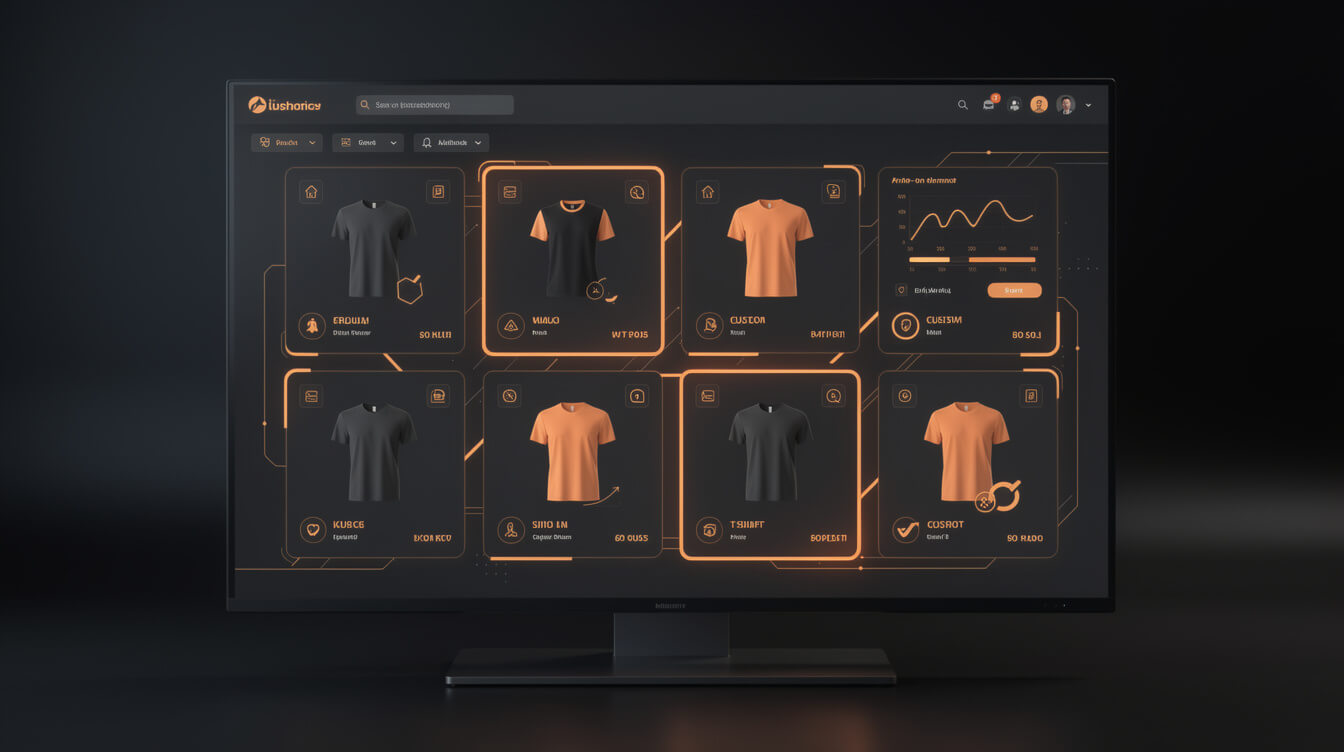
Step 3: Create products. You choose a product from the Printify catalog (t-shirts, hoodies, mugs, tote bags, and hundreds more), pick a print provider for that product, upload your design file, and configure print placement. Printify generates a mockup automatically. You set the retail price and publish the listing to your connected store.
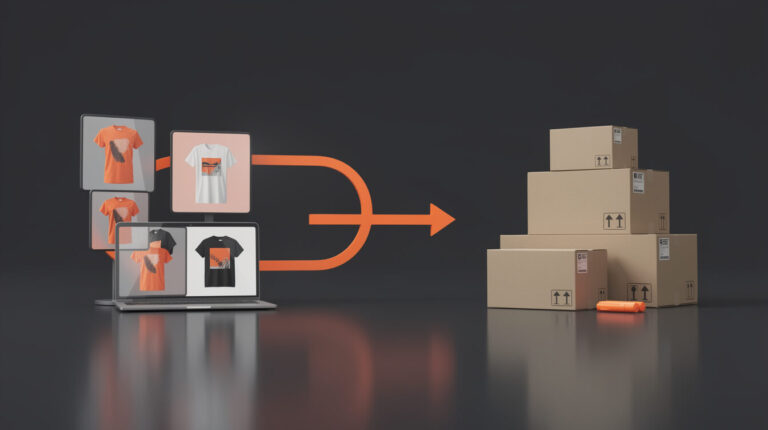
Step 4: Sell, and Printify fulfills. When a customer places an order on your store or marketplace, the order routes to your chosen print provider. They print, pack, and ship directly to the customer. You pay the base production cost. The difference between that cost and your retail price is your margin.
The model works well for sellers who want to test product ideas without upfront inventory. The provider selection step, however, is where most new sellers make decisions they later regret.
Print provider selection: how Printify routes orders and what it means for quality

Printify does not automatically route orders to the optimal provider. You choose a specific provider per product at the time you create the listing. That choice is locked until you manually update it. This matters more than most tutorials acknowledge.
Printify’s catalog includes 90-plus print providers across North America, Europe, and Australia. The major ones include Monster Digital, Printify Express, SPOD, Awkward Styles, and SwiftPOD. Each provider has different base costs, production times, quality levels, and shipping options.
The key constraint: you cannot set dynamic routing rules that automatically send an order to the nearest provider based on customer location. If your chosen provider is in Charlotte and your customer is in Glasgow, they wait longer and pay more for shipping than they would with a UK-based alternative. You have to build separate product listings with different providers to serve different geographic markets.
Quality also varies between providers for nominally identical products. A Bella + Canvas 3001 blank from one provider and the same blank from another can differ in print vibrancy and soft-hand feel. Sampling before you publish at volume is not optional if you care about repeat business.
The practical advice: pick one primary provider for your core products, order samples, and commit. Spreading listings across five providers to hedge your bets creates inconsistent customer experiences and complicates your margin math.
The margin math: real numbers on a $25 t-shirt at different sales volumes

The numbers that matter are not the ones in Printify’s homepage calculator. Here is what a real $25 t-shirt looks like at three volume levels.
Base scenario (free plan, selling on Etsy):
- Retail price: $25.00
- Printify base cost (Bella + Canvas 3001, standard provider): $9.40
- Etsy transaction fee (6.5%): $1.63
- Etsy listing fee: $0.20
- Payment processing (3% + $0.25): $1.00
- Net margin per shirt: $12.77 (51.1%)
With Printify Premium ($29/month), at 50 shirts/month:
- Base cost after 20% discount: $7.52
- Same Etsy fees: $2.83
- Net margin per shirt: $14.65 (58.6%)
- Monthly profit gain vs. free plan: $94.00 extra margin, minus $29 Premium fee
- Net Premium benefit: +$65/month at 50 units. Break-even is roughly 16 shirts/month.
With Printify Premium, selling on your own WooCommerce store:
- No Etsy transaction fee (saves $1.63 per shirt)
- Payment processing (Stripe, approximately 2.9% + $0.30): $1.03
- Net margin per shirt: $16.45 (65.8%)
The WooCommerce channel adds roughly $1.50-2.00 per shirt in margin compared to Etsy, because you eliminate the marketplace transaction fee. At 200 shirts/month, that is $300-400 in additional monthly profit, which more than covers the hosting costs of running a WooCommerce store.
The margin math is one of the strongest arguments for connecting Printify to WooCommerce rather than staying on Etsy or Shopify long-term. The next section explains how that connection actually works.
Printify and WooCommerce: the integration Printify does not advertise

Smash print-on-demand. Join the engine room.
One short email a week. Real numbers, real teardowns, the unfiltered economics behind every move.

Printify’s homepage prominently features Etsy, Shopify, and Wix logos. WooCommerce is buried. That is a marketing choice, not a technical limitation. Printify has an official WooCommerce plugin that works reliably. Here is the setup path.
Prerequisites: A self-hosted WordPress site with WooCommerce installed. You will need a hosting provider (SiteGround, Hostinger, and Cloudways are the most common among POD sellers), a domain, an SSL certificate, and a payment gateway (Stripe or PayPal are the fastest to configure).
Connection steps:
- Install the Printify for WooCommerce plugin from the WordPress plugin directory.
- In your Printify dashboard, go to My Stores and select “Connect a new store.” Choose WooCommerce and authenticate with your site’s API credentials.
- Once connected, any product you publish in Printify pushes to your WooCommerce catalog automatically. Product titles, descriptions, variants, pricing, and mockup images all sync.
- Orders from WooCommerce pass to Printify automatically when the payment clears. Tracking numbers sync back to WooCommerce and trigger the customer shipping notification.
The critical advantage: you own the customer relationship. On Etsy or a Shopify storefront, the platform controls the checkout experience and owns the transactional email flow. On WooCommerce, you capture the customer email at checkout, tag them in your CRM, and market to them directly. That list is an asset. The Etsy equivalent is not.
The trade-off is operational responsibility. WooCommerce requires you to manage hosting, security updates, plugin compatibility, and page speed. For sellers already running more than 20 products and $3,000/month in revenue, the economics justify this work. For sellers just starting with their first five listings, Etsy is the simpler entry point.
Automating the product creation side of WooCommerce is the next bottleneck most sellers hit. MEGA handles that step, taking a niche idea to a live WooCommerce product in under 7 minutes, including AI-generated design, sizing, mockups, SEO copy, and the full Printful or Printify product listing.
If you are curious how Printful compares as a fulfillment partner on the same WooCommerce stack, the Printful review for WooCommerce sellers covers the unit economics and integration differences in detail.
Three things Printify cannot do (and when they start to hurt you)

Printify is a strong platform for most POD sellers most of the time. These three constraints are not bugs or oversights. They are architectural choices that reflect Printify’s target market. They become problems specifically when you are scaling past a certain threshold.
1. No buyer email capture in marketplace mode. When you sell through Etsy, Amazon, or any marketplace connected to Printify, the marketplace owns the customer relationship. Printify’s platform does not change this. You get the order, you fulfill it, and you never see the customer’s email address in a way you can market to. This is a structural limit of the marketplace model, not a Printify-specific failure. But if your goal is to build a direct customer base, you cannot achieve it without moving to a channel you own, like WooCommerce.
2. No batch listing API for high-volume creators. Printify has a public API, but its product creation endpoint is designed for single-product operations. Sellers creating 50 or more products per week, running a niche-based POD operation, or managing multiple stores hit a wall. There is no native batch endpoint that accepts an array of design files and outputs a complete product catalog. Every product has to be created individually through the interface or through sequential API calls with rate limiting. This is the constraint that makes manual Printify operation non-viable at scale, and it is why automation tools exist at the listing layer.
3. Printify Pop-Up Store locks you into a subdomain. Printify’s own storefront product, called Pop-Up Store, gives you a hosted store at a printify.me subdomain. It is free and fast to launch. The limitation: you cannot use a custom domain. You are building your store on Printify’s domain authority, not your own. You cannot easily move that traffic if you switch platforms. For a side project or proof of concept, this is fine. For a brand you are building long-term, the subdomain lockout is a meaningful constraint.
None of these are reasons to avoid Printify. They are reasons to plan your architecture around them. The WooCommerce path solves constraints one and three. Automation addresses constraint two. Read about the AI-assisted t-shirt design and listing workflow to see how sellers are solving the volume problem without manual product creation at scale.
Automate your Printify product creation with MEGA
MEGA takes a niche idea to a live WooCommerce product in under 7 minutes. AI design generation, mockups, SEO copy, and the full product listing, all automated. Stop creating products one at a time.
Printify vs owning your store: the economic crossover point

Printify is a fulfillment platform, not a storefront. The question is always which channel you connect it to. Here is how the main options compare at different revenue levels, and where the economics shift decisively toward owning your store.
Printify on Etsy: Zero setup friction. You are selling on an existing marketplace with buyer intent traffic built in. The costs stack up: Etsy charges a 6.5% transaction fee, a $0.20 listing fee per item, and an offsite ads fee of up to 15% on qualifying sales. At $5,000/month in revenue, Etsy fees alone consume roughly $300-400 depending on your category. You also share the marketplace with thousands of competitors selling similar products.
Printify on Shopify: You get a custom domain and a professional storefront. Shopify’s costs include a monthly platform fee ($29-79/month for most sellers), transaction fees on top of payment processing if you use a third-party gateway (0.5-2% depending on plan), and the Shopify 1% platform override if you reach advanced plan thresholds. Shopify sellers running $10,000/month in revenue pay roughly $100-200/month in pure platform overhead before marketing spend.
Printify on WooCommerce: No transaction fees. No platform override. Hosting costs $15-30/month on a reliable provider. You pay Stripe or PayPal for payment processing (2.9% + $0.30 per transaction), which you would pay on any platform. A WooCommerce store at $5,000/month costs approximately $50-80/month in total infrastructure, versus $350-500 on Etsy or $200-350 on Shopify when platform and transaction fees are included.
The crossover point, where WooCommerce infrastructure costs are clearly justified, is roughly $3,000-4,000/month in revenue for most sellers. Below that threshold, the saved margin does not meaningfully offset the added operational complexity. Above it, every month you stay on Etsy or Shopify is margin left on the table.
For sellers already on WooCommerce who want to diversify their print partner network, the Gelato print-on-demand review compares fulfillment economics across 32 countries and is worth reading alongside the Printify cost model.
Also relevant: the custom merchandise guide for business owners covers the POD versus bulk inventory decision in more depth, with concrete margin comparisons across fulfillment models.
How Printify works in practice: your complete setup checklist

Most Printify setup tutorials stop at “create an account and publish your first product.” Here is a complete checklist that gets you to a sustainable, properly configured operation.
Account and store setup:
- Create your Printify account. Verify your email immediately.
- Decide which plan you need. Start on free if you are under 16 shirts/month. Move to Premium when your math supports it.
- Connect your primary sales channel. If WooCommerce, install the official plugin and authenticate via API keys. If Etsy, authorize through the Printify dashboard.
- Configure your default shipping settings. Printify calculates shipping at checkout based on provider and destination. Review the rates and confirm they align with your store’s shipping policy.
Product and provider setup:
- Choose a print provider for your core product category. Order samples from the top two or three candidates before going live.
- Build your mockup library. Printify’s built-in mockup generator is adequate for most listings. For hero products, custom lifestyle photography converts better.
- Set retail prices with margin targets in mind. Use the margin math from section three as your baseline. Do not underprice to compete on Etsy. Compete on design quality and niche specificity instead.
- Write product descriptions that speak to your buyer, not the print specs. “Premium soft-hand unisex tee” is more useful to a buyer than “100% airlume combed and ring-spun cotton.”
Operations and quality control:
- Set up order notifications so you know immediately if a fulfillment issue occurs. Printify’s dashboard shows order status in real time.
- Establish a refund and reprint policy before your first complaint arrives. Printify will reprint or refund for print quality issues. You need a clear process for handling the customer-facing side.
- Review your provider’s average production time every quarter. Providers adjust capacity. A provider that shipped in three days last year might be running at five days now.
- If you are selling on WooCommerce, install a transactional email plugin (WooCommerce Emails or FluentCRM) to capture post-purchase engagement. That email list is the asset Etsy sellers never build.
Scaling considerations:
- When you hit 30-plus active products, manual product creation becomes the bottleneck, not design quality or marketing. This is when automation at the listing layer pays for itself. Systems that handle design generation, mockup creation, SEO copywriting, and publishing in a single pipeline eliminate the creation bottleneck entirely.
- Track which products drive 80% of your revenue. Double down on the niches behind those winners. Printify’s catalog makes it easy to add new product types once a niche is validated.
- Revisit the WooCommerce decision at $3,000/month. The margin savings are real, the setup complexity is finite, and the customer data you own compounds over time.
Final thoughts
Printify works well as a starting point for POD sellers and as a sustainable fulfillment backbone for WooCommerce stores. The platform’s strengths are its breadth of providers, its ease of marketplace integration, and its free entry point. The constraints, specifically the absence of buyer email capture in marketplace mode, the lack of batch listing tooling, and the subdomain limitation on its hosted storefront, matter most to sellers scaling past manual operations.
The most durable setup is Printify connected to WooCommerce, with automated product creation handling the listing volume that would otherwise require a full-time team. At that point, the economics work, the customer data compounds, and the Shopify 1% platform override becomes someone else’s problem.

Implement AI. 30x your throughput. Get a 30-min call with the founder.
Drop your details and book a free 30-minute discovery call. Personalized advice on your POD stack, your margin, and where AI fits. No pitch, no fluff.